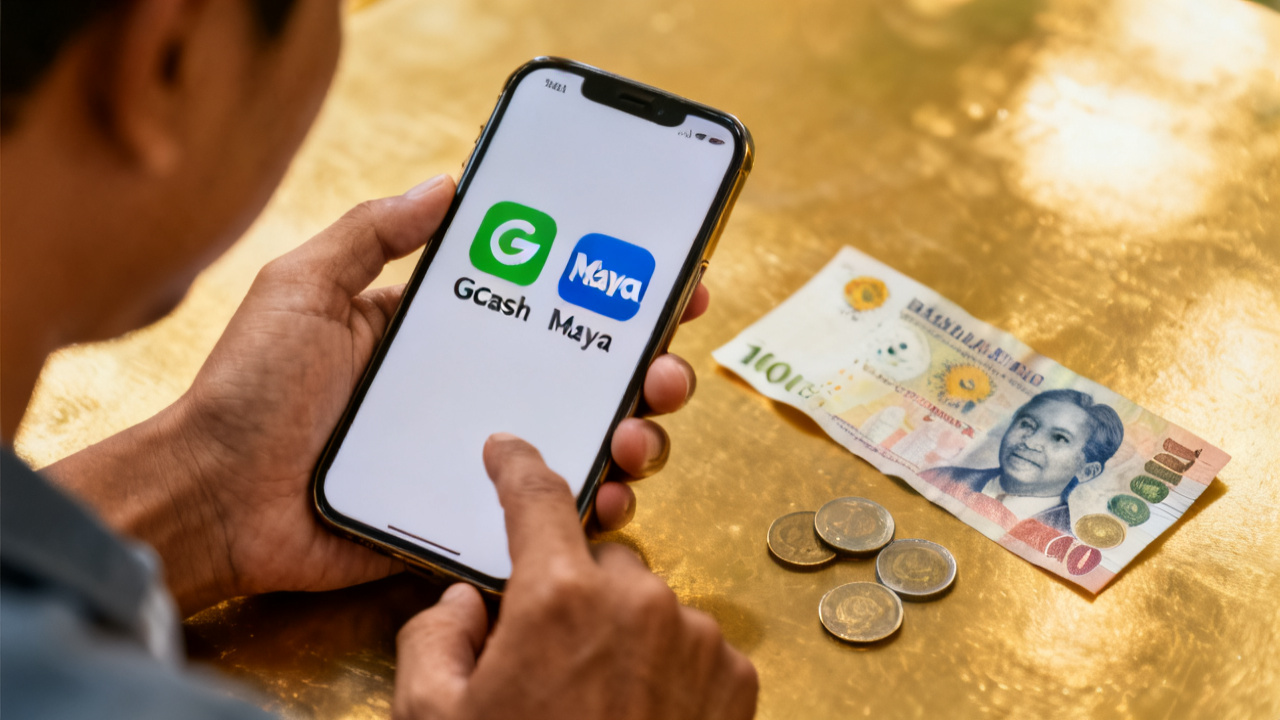
GCash vs Maya Remittance Fees
Compare GCash and Maya for Philippines remittance: fees, FX markup, wallet limits, speed, cash-out options, and checkout checks.
Trust & transparency
- Last updated: 2026-06-01
- Reviewed by: SEARateGuide Editorial Team
- Not financial advice: This page is informational only and SEARateGuide does not process money transfers.
- Verify at checkout: Confirm final fees, exchange rates, limits, payout options, and timing with the provider before sending.
Sources and methodology
- SEARateGuide Methodology
- SEARateGuide Data Sources
- Provider official pricing pages and final checkout quotes should be verified before a transfer.
Key takeaway
When sending money to the Philippines, the total cost includes the transfer fee plus the foreign exchange markup. GCash and PayMaya (now Maya) have different fee structures, wallet limits, and cash-out options. Always verify current rates and fees at provider checkout, as they change frequently. Bank deposits may be cheaper for larger amounts due to lower FX markups.
Understanding Total Cost: Fee + FX Markup
The total cost of sending money to a Philippine e-wallet is not just the transfer fee. You must also consider the foreign exchange (FX) markup, which is the difference between the mid-market rate and the rate offered by the provider. Many remittance services advertise low or zero fees but make up for it with a poor exchange rate.
For example, if the mid-market rate is 1 USD = 55 PHP, but the provider offers 54 PHP, the FX markup is 1 PHP per dollar. On a $1,000 transfer, that's an extra $18.52 cost, which may be higher than the transfer fee itself.
Always calculate the total cost using this formula: Total Cost = Transfer Fee + (Amount * FX Markup). Compare both GCash and PayMaya/Maya options with this in mind.
- Transfer fee: flat or percentage-based, often waived for first transfers or large amounts.
- FX markup: typically 1-3% above mid-market rate; check provider's rate before confirming.
- Payout method: e-wallet credits may have different FX rates than bank deposits.
GCash vs PayMaya/Maya: Key Differences
GCash and PayMaya (now rebranded as Maya) are the two leading e-wallets in the Philippines. Both allow instant receipt of funds, but they have different fee structures, limits, and features.
GCash is widely used for payments, bills, and online purchases. It offers a cash-in feature via partner agents and ATMs. PayMaya, now Maya, has evolved into a full digital bank with savings and credit products, but the e-wallet service remains similar.
When remitting, the provider you use (e.g., Wise, Remitly, WorldRemit) will charge different fees depending on whether you send to GCash or Maya. Some providers may offer lower fees for one over the other.
| Feature | GCash | PayMaya (Maya) |
|---|---|---|
| Wallet limit (fully verified) | Up to PHP 500,000 | Up to PHP 500,000 |
| Cash-out options | Over 100,000 partner agents, ATMs | Over 80,000 partner agents, ATMs, Maya Center |
| Speed | Instant to wallet | Instant to wallet |
| Common FX markup | Varies by provider | Varies by provider |
| Cash-in to bank | Via InstaPay (free, limited) | Via InstaPay (free, limited) |
Recipient Verification and Wallet Limits
To receive larger amounts, the recipient must have a fully verified GCash or Maya account. Unverified accounts have strict limits (e.g., PHP 100,000 annual limit for GCash). Verification usually requires submitting a valid ID and selfie.
If the remittance amount exceeds the wallet limit, the transfer may fail or be delayed. In such cases, consider splitting the transfer or using bank deposit instead.
Always confirm with the recipient that their wallet is verified and has sufficient capacity before sending.
- GCash fully verified: up to PHP 500,000 wallet balance, PHP 100,000 per transaction.
- Maya fully verified: up to PHP 500,000 wallet balance, PHP 50,000 per transaction (may vary).
- Unverified accounts: much lower limits, not suitable for large remittances.
Speed and Cash-Out Possibilities
Both GCash and Maya receive funds instantly once the remittance provider processes the transfer. However, the provider's processing time may take minutes to hours. Some providers offer 'instant' delivery for an extra fee.
After receiving money in the e-wallet, the recipient can cash out at partner agents (e.g., sari-sari stores, pawnshops) or ATMs. GCash has a larger agent network, but Maya offers cash-out at Maya Centers and partner banks.
Cash-out fees: GCash charges a small fee (e.g., PHP 10-20) for over-the-counter withdrawals, while Maya may charge similar fees. ATM withdrawals are also subject to ATM owner fees.
- Instant credit to wallet: usually within seconds after provider release.
- Cash-out at agents: GCash has 100,000+ touchpoints; Maya has 80,000+.
- ATM withdrawal: both support Visa/Mastercard cards for ATM access, with applicable fees.
When Bank Deposit May Be Better
For large amounts (e.g., above PHP 50,000), bank deposit may be more cost-effective than e-wallet remittance. Banks often have lower FX markups and no wallet limit issues.
Additionally, some remittance providers offer free or cheap bank transfers via InstaPay or PESONet. However, bank transfers may take 1-3 business days, while e-wallets are instant.
Consider the recipient's needs: if they need cash immediately, e-wallet is faster; if they are saving or paying bills, bank deposit may be cheaper.
- Bank deposit: lower FX markup, no wallet limit, but slower (1-3 days).
- E-wallet: instant, but higher FX markup and wallet limits.
- Hybrid approach: send part to e-wallet for immediate needs, rest to bank.
Provider Checkout Verification
Before confirming any transfer, always double-check the total cost at the provider's checkout page. The displayed exchange rate and fees are what you will pay. Do not rely on advertised rates alone.
Some providers show a 'rate guarantee' for a few minutes, but rates can change. If you are not satisfied, cancel and try another provider.
Also verify that the recipient's e-wallet details (mobile number or email) are correct. A wrong number could result in lost funds.
- Check the exchange rate and fee breakdown before confirming.
- Ensure recipient's GCash or Maya account is active and verified.
- Save the transaction reference number for tracking.
Disclaimer
SEARateGuide is an information-only comparison tool and does not process money transfers. Fees, exchange rates, limits, delivery estimates, and payout availability can change. Confirm the final quote on the provider's official checkout page before sending.
Frequently asked questions
What is the difference between PayMaya and Maya?
PayMaya has been rebranded as Maya. The e-wallet service is essentially the same, but Maya now also offers digital banking services like savings accounts and credit. For remittance purposes, sending to a PayMaya account is the same as sending to a Maya wallet.
Which is cheaper for remittance: GCash or Maya?
It depends on the remittance provider and the amount. Some providers offer lower fees for GCash, others for Maya. Always compare the total cost (fee + FX markup) at checkout. There is no universal answer.
Can I send money directly from abroad to GCash or Maya?
Yes, many remittance providers (e.g., Wise, Remitly, WorldRemit, Xoom) allow direct transfers to GCash and Maya wallets. The recipient receives PHP instantly in their e-wallet.
What happens if the recipient's wallet limit is exceeded?
The transfer may be rejected or delayed. The recipient may need to upgrade their account or withdraw some funds to free up space. Some providers may refund the transfer, but it's best to check with the provider's support.